
 Built for Pocket Option traders
Chinese Pocket Bot, Pocket Option Signals in Your Pocket
The Pocket Option edition of Chinese Bot for Android. It reads Pocket Option's OTC pairs on any day and the real market on weekdays, and answers in one tap.
- Every day of the week
- OTC
- Expiries, 5s to 4h
- 16
- Ads or trackers
- 0
Partner broker
Open Pocket Option with us, keep Chinese Pocket Bot free
A Pocket Option account opened through our link makes your licence free: all 16 expiries in the app, for as long as the account stays open. Support sets it up on Telegram.
OTC pairs every day
Pocket Option's OTC market runs on weekends, when the app has the most to read.
Virtual money to start
Practise on Pocket Option's demo account with the app's reads beside you.
No fees on deposits
Pocket Option charges no commission on deposits and withdrawals.
We are a Pocket Option affiliate, so the broker may pay us when you sign up. It costs you nothing and it pays for your licence.
Screenshots
A look at Chinese Pocket Bot
Real captures of the Android app, light or dark to match this page.
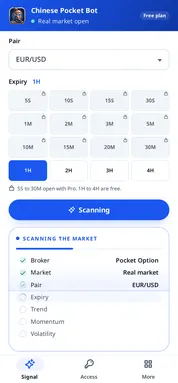
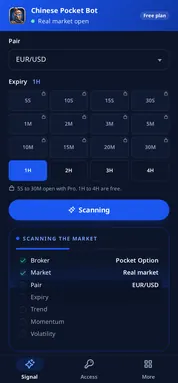
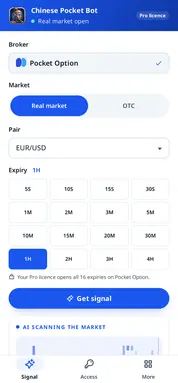
Signal tab
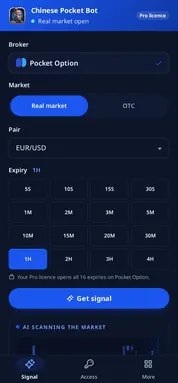
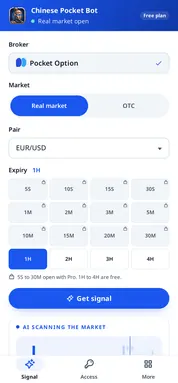
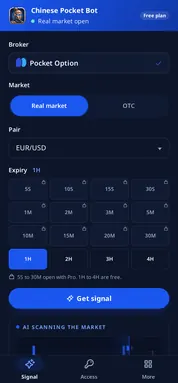
Pocket Option is fixed. Choose Real market or OTC, the pair and one of 16 expiries.
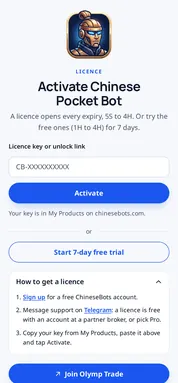
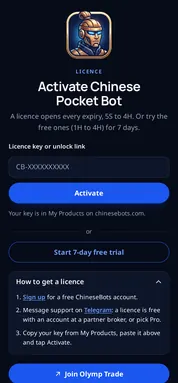
How to get a licence
Three steps under the trial button: sign up, message support, paste the key.
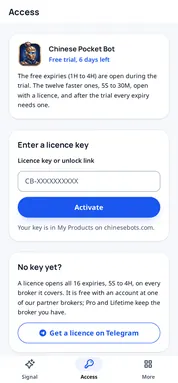
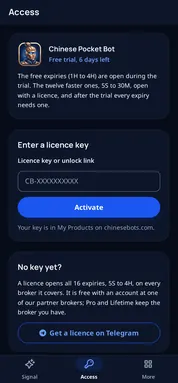
Padlocks on the fast expiries
Without a licence, 5S to 30M send you to the Access tab, where a key opens them.
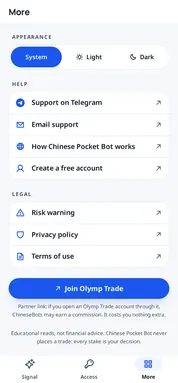
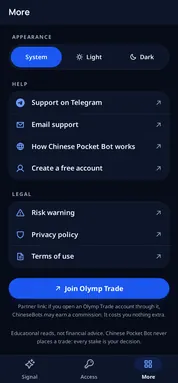
More tab
Theme, Telegram and email support, the risk warning, privacy and terms.
How it works
How to use Chinese Pocket Bot on a Pocket Option trade
Keep Pocket Option and Chinese Pocket Bot side by side in your recent apps, and switch between them.
Look at the pair on Pocket Option
Decide which pair and expiry you are thinking about trading.
Set the same in the app
OTC or Real market, the same pair, the same expiry. Then tap Get signal.
Trade, or wait
A clear CALL or PUT with strong agreement is worth a look. NO TRADE or a weak score is a reason to wait.
Real market and OTC
Weekends are Pocket Option OTC time
The currency market closes on Friday night. Pocket Option's OTC market does not, and neither does the app.
14 OTC pairs
EUR/USD OTC, GBP/USD OTC and the rest of the majors, plus USD/BRL OTC, USD/INR OTC and more.
Switches by itself
Open the app on a Saturday and it is already on OTC. Monday's real market is a tap away.
Fast expiries for OTC traders
5S to 30M open with a licence, the expiries OTC traders use most.
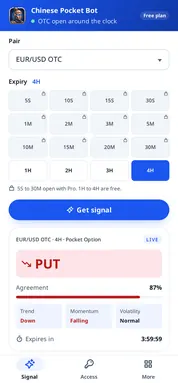
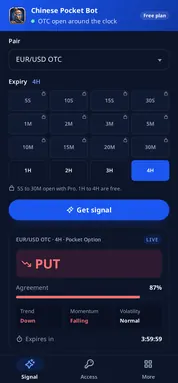
The answer
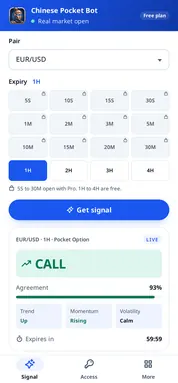
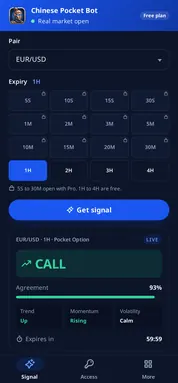
What the answer card is telling you
Four things on every card, always in the same order.
Pair, expiry, broker
The top line names what was read, so you never confuse two answers.
The direction
CALL or PUT when the readings agree, NO TRADE when they do not.
How strongly
An agreement percentage with a bar. It is not a promise of a win.
How long
The countdown of the full expiry, so you can tell whether the read is still fresh.
Trial and licence
Trial first, key whenever you like
Nothing to create, nothing to pay before you try it. A key from support opens the rest.
Seven free days
The four hourly expiries on every Pocket Option pair, OTC included.
A key in the Access tab
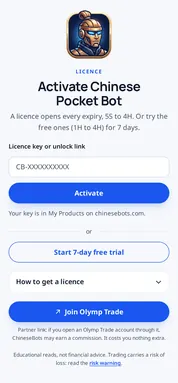
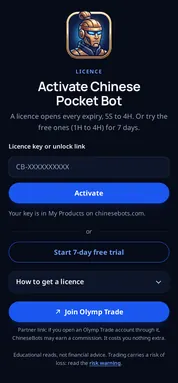
Paste the CB- key or the unlock link from support, then tap Activate.
Moving phones?
App backups are off, so the key stays private. Paste it again on the new phone.
Install
Get Chinese Pocket Bot on your phone
Google Play is the easy way. The APK is for phones without Google Play, and it is the same signed app.
From Google Play
Tap Get it on Google Play, install, open. Updates come through Play.
From the APK
Tap Download the APK file and open the file. Android asks to allow installs from your browser: allow it once.
Close the door after you
Turn that install permission off again once the app is on your phone.
Start reading
Open Chinese Pocket Bot and tap Start 7-day free trial.
Chinese Pocket Bot details
- App
- Chinese Pocket Bot
- Package
- com.chinesebots.chinesepocketbot
- Version
- 1.0.0
- Requires
- Android 8.0 or later
- Size
- About 1.5 MB
- Permissions
- Internet only
- Ads and tracking
- None
- Developer
- ChineseBots
Privacy and safety
Small app, short permission list
Internet only
The one permission it asks for. Nothing on your phone is read.
No account link
It never connects to Pocket Option and never sees your money.
Nothing sold
No ads, no analytics, and nothing shared with third parties.
Your key stays yours
Backups are off, so the licence never leaves this phone in a backup.
Chinese Pocket Bot is made by ChineseBots. It is not made by, endorsed by or connected with Pocket Option. Educational reads, not financial advice: read the risk warning.
Compare
Pocket Option on every screen, one licence
Chinese Pocket Bot has a sibling for the other screen, Chinese Pocket Option Signal AI, and the online Chinese Bot reads nine brokers. All three use the same engine and open with the same key.
| Chinese Pocket Option Signal AI | Chinese Pocket Bot | Chinese Bot online | |
|---|---|---|---|
| Runs in | Chrome, Firefox, Edge | Android 8.0 or later | Any browser |
| Broker | Pocket Option only | Pocket Option only | Nine brokers |
| Install | From the browser's store | Google Play or APK | Nothing to install |
| Free trial | 7 days, 1H to 4H | 7 days, 1H to 4H | 1H to 4H, free for good |
| Best for | Trading Pocket Option at a desk | Trading Pocket Option on the move | A quick check anywhere |
Chinese Bot online reads all nine partner brokers in any browser, with nothing to install and the hourly expiries free.
Try Chinese Bot onlinePricing
Simple, open pricing.
Free for good with an account at a partner broker. Prefer your own broker? Pay by the month, or once for good. No hidden fees.
-
Pro
Keep the broker account you have.
$49/month
Get Pro- Every expiry, 5 seconds to 4 hours
- All extensions and both apps
- Alerts on phone and Telegram
- Priority support
-
Most chosen
Free forever
With an account at one of our partner brokers.
$0/forever
Get a free licence- Every expiry, 5 seconds to 4 hours
- The online tool, extensions and both apps
- A licence key from our support team
- Nine partner brokers to pick from
-
Lifetime
Pay once and keep every tool.
$199/once
Get Lifetime- Everything in Pro
- Every future tool and update
- Auto-trade bots when they launch
- A personal setup call
What is Chinese Pocket Bot?
The Pocket Option edition of the Chinese Bot app for Android. It reads a Pocket Option pair for your expiry and answers CALL, PUT or NO TRADE, with the agreement, three readings and a countdown.
Does it work on Pocket Option OTC at the weekend?
Yes. When the real market closes on Friday at 21:00 UTC, the app opens on OTC, and it reads Pocket Option's OTC pairs until the real market opens again.
Is Chinese Pocket Bot free?
Free to install, with 7 days of the hourly expiries. After that you need a licence, which is free with a Pocket Option account opened through our link. Pro costs $49 a month and Lifetime $199 once.
Can I use it for Quotex?
No, it is fixed to Pocket Option. Quotex traders have Chinese Quotx Bot.
Where do I download the APK?
From the Download the APK file button on this page. Allow the install once when Android asks, then switch the permission off. See the install steps.
Is my Pocket Option account safe with it?
The app never asks for your Pocket Option login and has no way to reach your account. It only asks chinesebots.com for a read.
Will it buzz me when a signal is ready?
No. It answers when you ask, for the pair and expiry you set. It sends no notifications.
Can I use one licence on the phone and the computer?
Yes. The same key opens Chinese Pocket Bot and Chinese Pocket Option Signal AI in your browser.
Who is behind Chinese Pocket Bot?
ChineseBots, an independent maker of signal tools. Pocket Option does not make or endorse the app. We are its affiliate, so it may pay us when you sign up through our link.
Read Pocket Option OTC from anywhere
Install it free and use the hourly expiries for seven days, any day of the week. On the other screen, use the extension: Chinese Pocket Option Signal AI.